Spastra
English
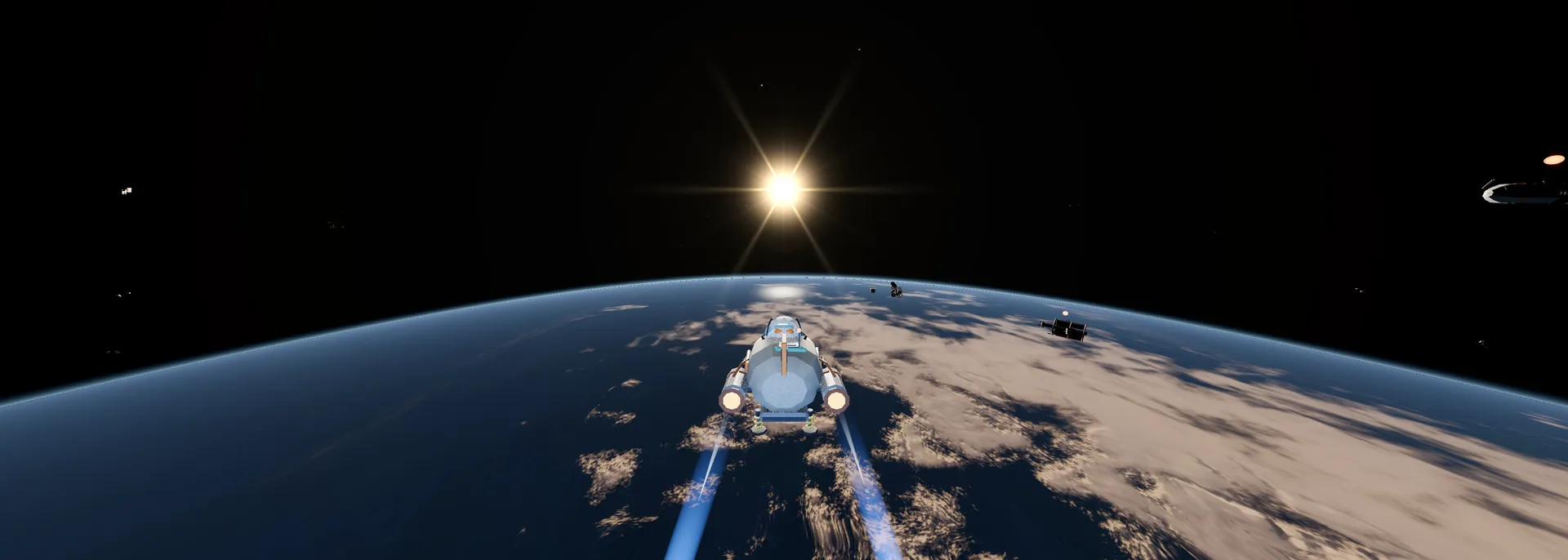
Real game scene: The Scrap Hopper flies over the cloud fields of Nerea with blue thruster beams; ahead of it the sun stands with rays above the planet's edge, and satellite wrecks drift alongside in the black void.

Co-op survival building game in orbit · Version 0.26.1

Spastra

A piece of scrap, 420 kilometers above the ground. Turn it into a station.

You start on what's left of a tug above Nerea. Catch debris with the Tractor Beam Emitter, build a station from it, automate the supply, and fly to wrecks and comets, alone or with friends. At night you only see what your floodlights hit. Like Raft, only in orbit.

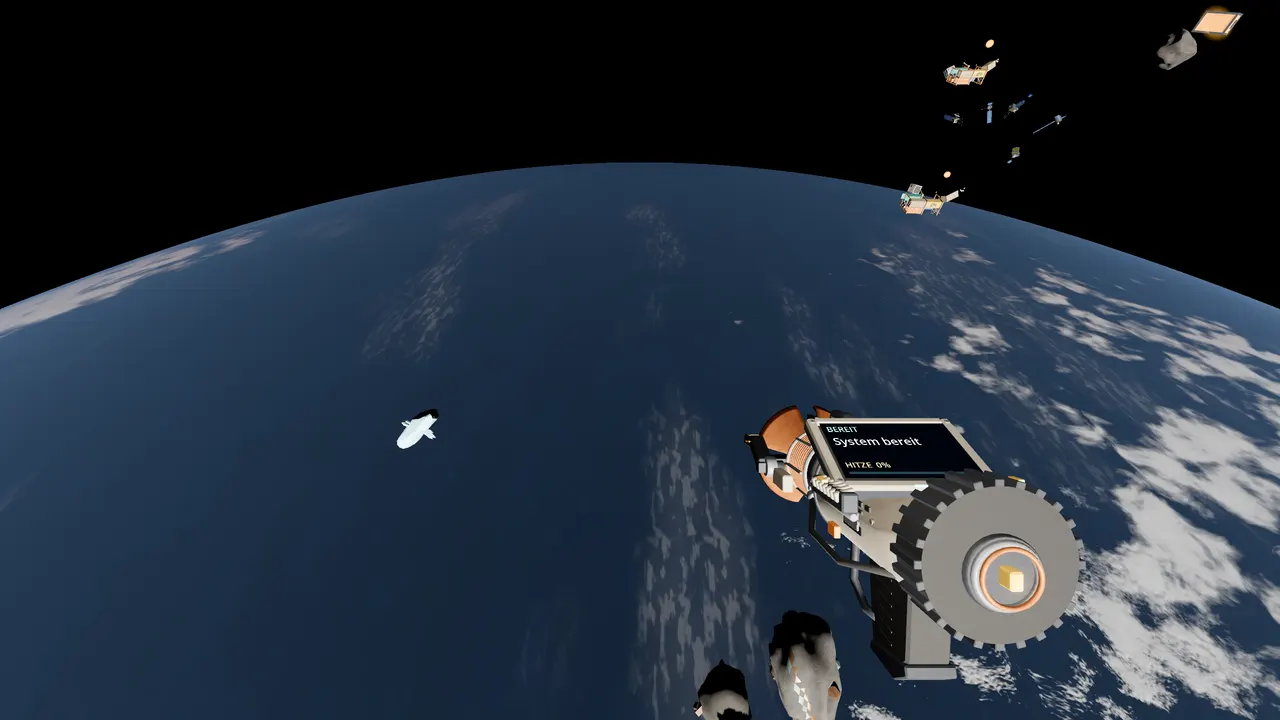
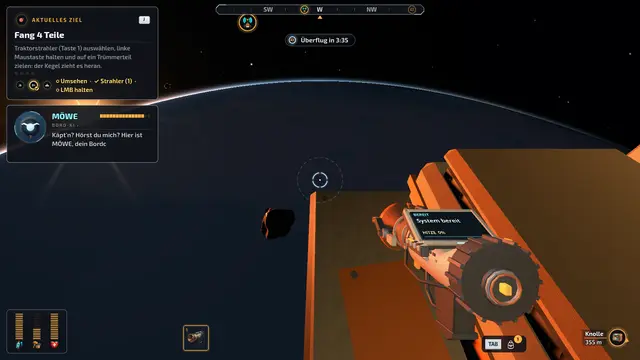
Real game scene: view from the edge of the plates 420 kilometers down to Nerea – sea, cloud fields, and a thin blue rim, with deep-black sky above and satellite wrecks, the Tractor Beam Emitter in hand on the right.

A piece of scrap. 420 kilometers above Nerea. Around you only blackness – and everything that drifts by is material.

Real game scene: the view over the edge of the plates.

Current goal

How Spastra plays

  1. Collect

    Pull scrap, ice, and cargo out of the debris stream. The Tractor Beam Emitter grows with your station; you bring in the heavy chunks together.

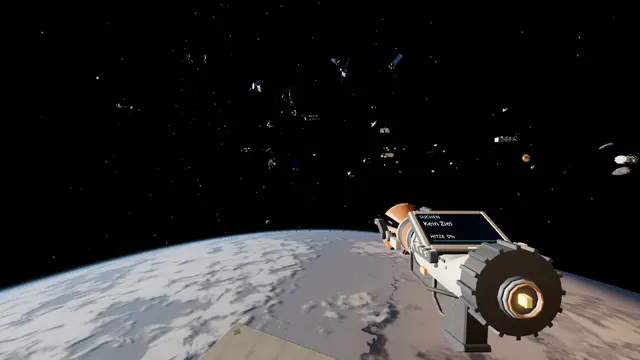
    View from the station's edge: the cone of the Tractor Beam Emitter pulls debris in from the stream, with Nerea below.
  2. Build

    Snap floors, walls, and machines together. From wreck to megastructure, seven Station Tiers unlock new possibilities.

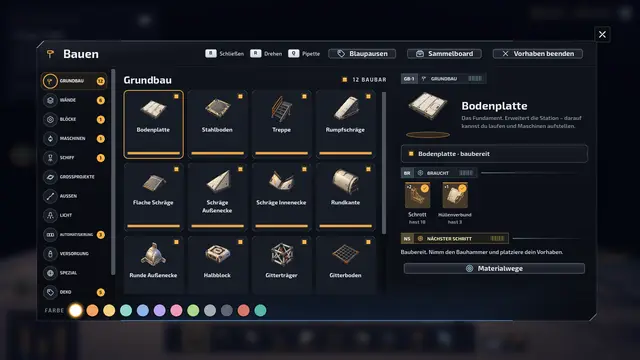
    The Build window: categories on the left, parts in the middle, and on the right the Floor Plate with costs and the next step.
  3. Automate

    Nets catch material, conveyors carry it to the Smelter, and construction drones help rebuild after a meteorite shower.

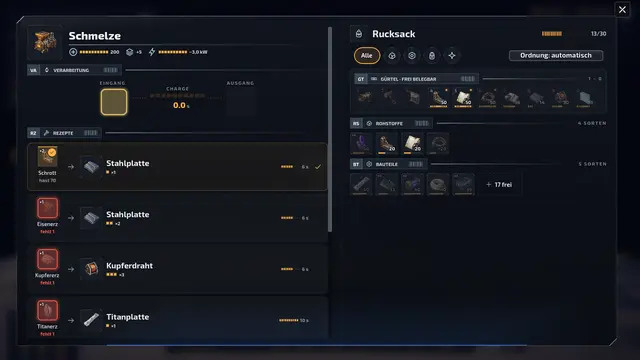
    The Smelter window next to the backpack: input, recipes, and power demand.
  4. Fly

    Fly ships to wrecks, radio signals, and comets. At the Navigation Console you choose a low, productive orbit or a calmer, high one.

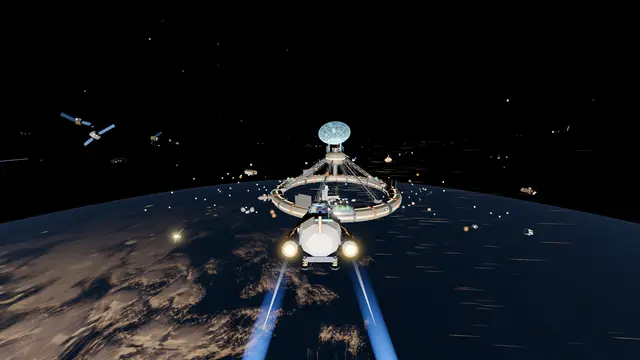
    The Scrap Hopper from behind, its thrusters trailing blue beams; ahead of it the station with the Ring Habitat, and to the left satellite wrecks drift above Nerea.
  5. Aboard together

    Up to 16 players share the station and the funds. On the ship every seat has a job; solo, MÖWE keeps you company.

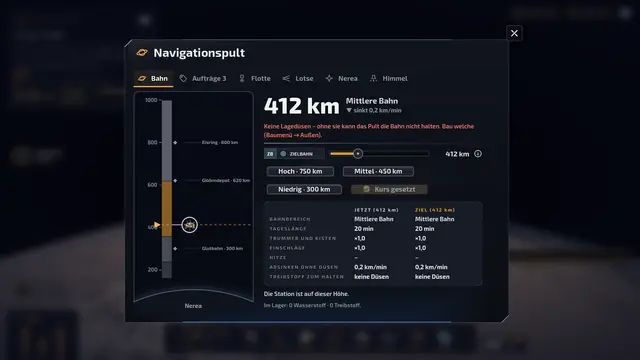
    The Navigation Console with orbit height, course selection, and the comparison of the current orbit and the destination.
  6. Rewards

    The first goals ease you into the game. Finds, blueprints, and Station Tiers show up later in the Archive; the Shift Report shows what you got done.

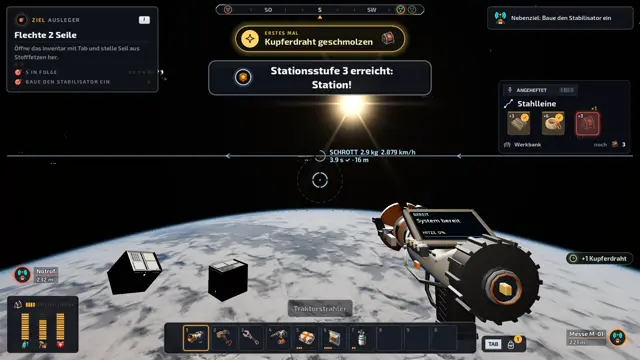
    The HUD with a pinned recipe whose tiles fill up as you collect, the golden “First time” message at the top, and the advance to Station Tier 3.

In the game, now

What awaits you

  • Nerea beneath you

    A whole world with its own continents, lakes, coasts, and clouds passes beneath the station. The new close-up view shows more land detail.

  • Debris and wrecks

    Satellites, chunks, and walkable wrecks drift in orbit. The helmet trajectory shows you the catch path of fast-moving parts sooner.

  • Out and about in co-op

    Up to 16 players build together and fly to wrecks, radio signals, and comets. On your own, MÖWE keeps you company.

  • Light and shadow

    Day and night change the work outside. Beacons, the Helmet Lamp, and solar modules help on the dark side.

The big update

New in version 0.26: The sound of the station

Waking up in the debris cloud

Waking up in the debris cloud

The accident still hangs in the air: wreckage drifts around you before your visor powers up. It provides the first parts for your station.
Every station has its own tone

Every station has its own tone

The station hums at its own pitch. The bigger it grows, the deeper it sounds, and a throbbing warns of a leak.
You feel hits through the floor

You feel hits through the floor

Nothing bangs in a vacuum. An impact arrives through the steel: first a rumble under your feet, then a frame cracks.
Cassette, tea and starry sky

Cassette, tea and starry sky

At the control console, Quell's two-sided cassette plays. A mug of mushroom tea at the window calms your pulse, and with the lights off the sky grows deeper.

Everything that is new

Building in 3D

Your station grows in every direction.

Up, down, and far out into space.

  1. The Core Module and its first Floor Plate remain the fixed starting point.

    1Starting core

    This is where your station begins.

    The Core Module and its first Floor Plate remain the fixed starting point.

  2. A connected girder leads well below the starting deck to a supply pod of its own.

    2Substructure

    Now it grows downward.

    A connected girder leads well below the starting deck to a supply pod of its own.

  3. Staggered arms and utility pods reach east, north, south, and up; the substructure stays visible.

    3Branching

    Then in every direction.

    Staggered arms and utility pods reach east, north, south, and up; the substructure stays visible.

Station value 174From one core in six directions of space

Version 0.26.1

Already in the game

  • 86Items
  • 156Parts
  • 94Machines
  • 131Logbooks
  • 1.502Asteroids
  • 68Wrecks
  • 62Goals
  • 16Players per world

See progress and plans

Test report for version 0.24.0

Spastra 0.24.0 review: The First Day is quiet – until the morning says everything at once

“The First Day” delivers what the opening has been missing for months: in the first minute there are four elements on screen instead of twelve, a line with a keycap at the bottom instead of a goal card, the beam emitter is already in your hand, the crate out of reach is the first real moment, the Sleep Pod comes before the night, and the night is finally black. What doesn't work: the morning after throws 14 interface elements onto the screen at once, the onboard AI catches up on yesterday's lines in the test run as if nothing had happened, and the return to the deck fails for the fourth release in a row. 86 points.

AI-generated quality report, not an editorial review.

Read test report

Roll film

How it all begins

The game's intro film, rendered in Blender: a morning on the relay station Vanguard One, until the debris stream arrives sooner than expected. With music, sound effects, and radio chatter – turn the sound on to listen.

Real images from the game

What it looks like in the game

The First Day: The crate drifts out of reach. You hook on, push off, and pull it in. The helmet shows only the next move.
The Build Hammer comes out of the crate. The helmet display grows with every skill, and one line names the next step.
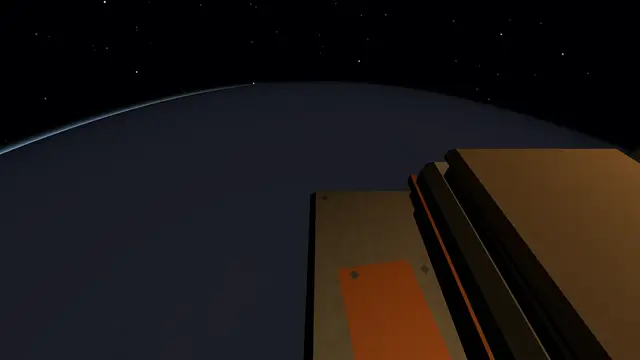
Night over Nerea: the deck lies in the light of the Work Light, with nothing behind it but stars and the thin rim of the planet.
A wreck 150 meters away in the cone of the searchlight. What you want to see, you have to light up.
Sunrise after the night: the light comes back over the edge of the planet.
The Build window: categories on the left, parts in the middle, costs and the next step on the right.
The Smelter next to the backpack: input, recipes, and power demand at a glance.
The Navigation Console compares the current orbit with the destination before you set your course.
The map of the belt shows signals, wrecks, and your station.
The Journal collects Goals, Log, Voyages, and Archive.
The Radio Receiver lists signals with strength and distance.
Crafting in the onboard window: categories on the left, recipes in the middle, and on the right what's missing and where it comes from.
The backpack sorts itself into compartments: Belt, Raw materials, Parts, Supply. The info card shows what a part is good for.
Backpack and crate side by side: “Store like items” with one click and a label of its own for each crate.
The label is also stuck on the outside of the crate: “Ore storage” is readable from a few meters away.
Pinned recipes fill up live as you collect, and first times appear in gold at the top of the screen.
Standard Nerea flyover: cloud fields and debris below the station, captured in the running game.
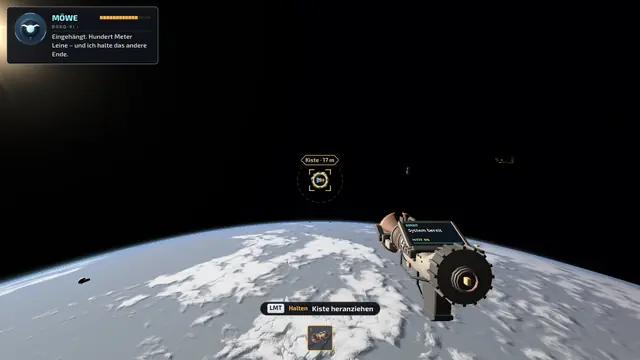
During the flyover, lakes and coasts appear between clouds and land. The Tractor Beam Emitter and the target HUD are visible.
Close-up view of Nerea's landforms at high planet quality in the running game.
The Net Boom Mk I spreads a sail across the debris stream, with Nerea passing below. The sail catches every part that flies through its plane.
The Harvest Wing Mk III from below: a rotating square sail without spars, with a mast, corner baskets, and a trolley.
The Tractor Tower Mk III fetches loot with visible pull beams: ice and debris come to the station without any flying.
Boom Control: Reef before the debris shower, Press diverter, harvest balance per cycle, and target stock per type.
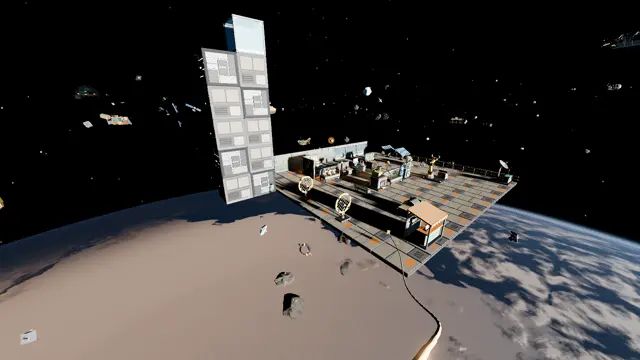
The station from outside: platform, tower, and collection nets above Nerea.
Walkable wrecks: the entrance to deck 7 with emergency lighting and logbook consoles.
Building on a grid: click and drag, and a whole expanse of Steel Floor is down.
On approach, the helmet trajectory shows the catch path of a fast piece of debris.
After the catch, the Tractor Beam Emitter pulls the part to your hand. The display switches from “Catch” to “Pull”.

Up next

Where the journey is heading

These plans are in the works and not yet in the released game. What already works is listed under Progress.

  1. Planned

    First look

    A redesigned opening is meant to deliberately open up the view of the station, debris, and Nerea. Implementation and sign-off are still pending.

Live from orbit

Open games

The radar is searching for open worlds …

    All open games

    Co-op for up to 16

    How to play with friends

    1. Open a world

      The host starts their world and chooses Esc → Play online (with code). With the checkbox Also show in the public server list, it also appears here on the radar.

    2. Join

      Friends choose Multiplayer in the main menu and enter the invite code – or click an open game in the list.

    3. Over the internet

      The host gets an invite code. Friends enter it and they're in – no port forwarding at all, even over the internet. Alternatively, you can connect directly via IP/port. The host forwards port 24570/UDP, or you use a virtual LAN such as Tailscale or ZeroTier.

    A server of your own that runs around the clock

    The game can also run without graphics as a dedicated server, for example on a home server. The world saves every minute and on quit. On Linux, in the unpacked folder:

    ./Spastra.x86_64 --headless -- --server --world=Unsere-Station --port=24570 --diff=normal
    # zusätzlich im Radar zeigen:  --public --name="Unsere Station"

    On Windows, the same with Spastra.exe in the command prompt.

    Current goal

    Get Spastra

    Version 0.26.1 from November 11, 2026. Free, no account, no Godot needed.

    macOS comes later.

    Download Spastra 0.26.1